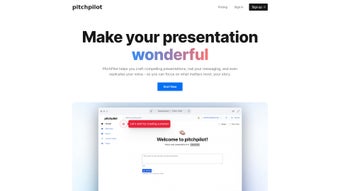

Download PitchPilot – AI‑Powered Presentation Builder, Voice Synthesis & Script Generator
Overview
PitchPilot is an innovative, AI‑driven web application that completely transforms the way you create, rehearse, and deliver presentations. By allowing you to upload existing slide decks or PDFs, PitchPilot instantly generates a fully‑editable script that matches the flow of your visuals, eliminating the need for manual note‑taking. The built‑in natural‑language engine not only drafts talking points but also offers a voice‑cloning feature that replicates your own tone, pitch, and cadence, meaning you can produce high‑quality voice‑overs without ever stepping into a recording studio.
Once the script and narration are polished, the platform bundles everything into a single downloadable package – slides plus synchronized audio – ready for seamless playback on any device, whether you are presenting in a boardroom, a classroom, or a virtual webinar. The tool’s cloud‑based architecture guarantees fast processing, secure data handling, and automatic updates, ensuring you always have access to the latest AI improvements without additional downloads. PitchPilot also supports multilingual output, allowing you to reach global audiences with native‑speaking voice synthesis in more than thirty languages.
Whether you are a seasoned speaker, a sales professional, an educator, or a student preparing a thesis defense, PitchPilot removes the stress of scripting and recording, letting you focus on the message rather than the mechanics. Its intuitive interface, combined with powerful automation, reduces preparation time by up to 70 %, freeing you to concentrate on delivery, audience interaction, and refining your core content. In short, PitchPilot is the all‑in‑one solution for anyone who wants to create compelling, polished presentations quickly, securely, and with a personal touch.
Key Features & Benefits
- AI‑Generated Script: Upload a PowerPoint or PDF and receive a complete, editable narration draft in seconds, with slide‑by‑slide alignment.
- Voice Replication: Record a short voice sample; PitchPilot creates a realistic synthetic voice that sounds exactly like you, preserving your unique intonation.
- Natural Voice Synthesis: Produce crystal‑clear, human‑like voiceovers with adjustable speed, emphasis, and emotion, suitable for formal or conversational tones.
- One‑Click Download: Export the final presentation as a combined slide‑audio file (MP4, PPTX, or PDF) for offline use on any platform.
- Cross‑Platform Access: Operates fully in the browser – no installation required on Windows, macOS, Linux, Android, or iOS.
- Collaboration Tools: Share drafts with teammates, gather feedback, and edit the script collaboratively in real time, with version history.
- Secure Cloud Storage: All uploaded files are encrypted at rest and in transit, complying with GDPR, CCPA, and ISO 27001 standards.
- Continuous AI Updates: The service automatically incorporates the latest language models, ensuring more accurate phrasing and natural intonation over time.
- Multilingual Support: Generate scripts and voiceovers in over 30 languages, including regional accents for a truly localized experience.
- Cost‑Effective Pricing: Free tier for basic usage, with premium plans that unlock higher‑resolution audio, batch processing, and custom branding.
These features collectively deliver a streamlined workflow: you upload, the AI drafts, you edit, the voice clones, and you download – all within a secure, cloud‑first environment. The AI script generator uses transformer‑based models that understand context, allowing it to produce natural transitions and logical sequencing across slides. Voice replication leverages neural voice cloning technology, which captures subtle nuances such as breath pauses and stress patterns, resulting in a narration that feels genuinely yours.
The one‑click export function automatically synchronizes timing, so each slide advances precisely when the corresponding audio segment ends, eliminating manual alignment hassles. Collaboration tools include comment threads, permission levels, and real‑time co‑editing, making it easy for teams spread across different time zones to contribute without version conflicts. Security is paramount; files are stored in encrypted containers, and access tokens expire after a short period, minimizing exposure risk.
Continuous AI updates mean the platform stays ahead of emerging language trends, slang, and industry‑specific terminology, keeping your presentations fresh and relevant. Multilingual support opens doors to international markets, allowing you to create localized versions of the same deck without hiring external translators. Finally, the tiered pricing model ensures that individuals and small businesses can start for free, while larger enterprises can scale with premium features that boost productivity and brand consistency.
Altogether, PitchPilot empowers users to produce professional‑grade presentations with far less effort, time, and technical expertise than traditional methods.
Installation, Usage & Compatibility
Getting Started – No Download Required
PitchPilot is a web‑based service, which means you can start creating presentations directly from any modern browser. Simply navigate to pitchpilot.io, create a free account, and you’re ready to go. For users who prefer a desktop shortcut, the platform offers a progressive web app (PWA) option that can be “installed” on Windows, macOS, Android, or iOS with a single click, providing offline access to previously saved projects. The PWA behaves like a native app, complete with an icon on your home screen, background sync for pending uploads, and push notifications for processing completion.
Step‑by‑Step Workflow
- Upload Your Deck: Drag‑and‑drop a PPTX, KEY, or PDF file onto the dashboard. The system automatically extracts slide order, images, and embedded notes.
- AI Script Generation: Click “Generate Script.” The AI analyses each slide, extracts key points, and creates a slide‑by‑slide narration that respects visual hierarchy and speaker intent.
- Voice Sample (Optional): Record a 15‑second sample of your voice using your device’s microphone. PitchPilot’s voice‑cloning engine builds a custom voice model within minutes, storing it securely for future use.
- Edit & Refine: Use the built‑in editor to tweak phrasing, adjust timing, add anecdotes, or insert calls to action. Real‑time preview lets you hear changes instantly.
- Synthesize Audio: Choose between the cloned voice or one of the high‑quality pre‑built voices. Adjust speed, pitch, emphasis, and add subtle background ambience if desired.
- Export: Download the final package – slides with synchronized audio – in your preferred format (MP4 video, PPTX with embedded audio, or a ZIP archive containing separate audio files).
Operating System Compatibility
Because PitchPilot runs in the browser, it is fully compatible with Windows 10/11, macOS 11+ (Catalina, Big Sur, Monterey, Ventura), Linux distributions with a modern Chromium‑based browser, Android 8+ and iOS 13+. The optional PWA works on Chrome, Edge, Safari, and Firefox, ensuring a consistent experience across desktops, tablets, and smartphones.
System requirements are minimal: a stable internet connection (at least 5 Mbps for audio processing) and a recent browser version that supports WebAssembly, Web Audio APIs, and Service Workers. No additional plugins, Java runtime environments, or Flash components are needed. For enterprise environments, PitchPilot also offers a single‑sign‑on (SSO) integration with Azure AD, Okta, and Google Workspace, allowing IT administrators to control access via existing identity providers. Performance‑optimised servers located in North America, Europe, and Asia guarantee low latency for users worldwide, and the platform automatically selects the nearest data center during processing. In addition, users can enable “Low‑Bandwidth Mode,” which reduces audio bitrate and compresses intermediate files to speed up generation on slower connections, while still delivering acceptable quality for internal reviews.
Pros & Cons
Pros
- Rapid AI script generation saves hours of manual writing and ensures consistent messaging across slides.
- Personalized voice cloning creates a truly authentic presentation experience that feels like the speaker is speaking live.
- All‑in‑one download eliminates the need for separate audio editing tools, streamlining the final production step.
- Secure cloud infrastructure protects proprietary content with AES‑256 encryption and compliance with major data‑privacy regulations.
- Multilingual support expands reach to global audiences, enabling localized versions without extra translation costs.
- Collaboration features with real‑time editing and comment threads improve team efficiency and reduce version‑control headaches.
- Progressive Web App option provides offline access to saved projects, ensuring productivity even when internet connectivity is intermittent.
Cons
- High‑resolution audio rendering can be slower on low‑bandwidth connections, requiring users to enable Low‑Bandwidth Mode for faster results.
- Free tier limits the number of slides per project and restricts access to premium voice models and batch processing.
- Voice cloning requires a clear sample; background noise or echo may affect the accuracy of the synthetic voice.
- Advanced customization options such as adding custom background music or complex audio effects are only available on premium plans.
- Because processing occurs on remote servers, organizations with strict data‑residency requirements may need to discuss on‑premise options with support.
Frequently Asked Questions & Conclusion
Frequently Asked Questions
Can I use PitchPilot without an internet connection?
Yes. After installing the PWA, you can open previously saved projects offline. However, AI script generation and voice synthesis still require an online connection because the processing happens on PitchPilot’s secure cloud servers.
How secure is my uploaded presentation?
All files are encrypted using AES‑256 both in transit and at rest. PitchPilot complies with GDPR, CCPA, and ISO 27001 standards, and no data is shared with third parties without explicit consent.
What languages does the voice synthesis support?
PitchPilot currently supports over 30 languages, including English, Spanish, Mandarin, German, French, Portuguese, Japanese, and Arabic. Each language offers multiple regional accents for a more natural sound.
Is there a limit to the length of the voice sample for cloning?
A minimum of 15 seconds is required, but you can upload up to 60 seconds for better accuracy. The system automatically trims silence and normalizes volume.
Can I integrate PitchPilot with other collaboration tools?
Yes. PitchPilot offers direct export to Google Drive, Microsoft OneDrive, and Dropbox, and it supports webhook callbacks for integration with project‑management platforms like Trello and Asana.
Conclusion & Call to Action
PitchPilot stands out as a comprehensive, AI‑powered solution that eliminates the tedious parts of presentation preparation while adding a professional, personalized voice layer. Its cloud‑first design, robust security, and multilingual capabilities make it suitable for businesses, educators, and solo creators alike. By automating script writing and voice synthesis, PitchPilot frees up valuable time, allowing you to concentrate on delivery, audience engagement, and strategic messaging.
The intuitive interface ensures that even users with limited technical expertise can produce high‑quality, immersive presentations in minutes rather than hours. Whether you are preparing a sales pitch, a conference keynote, or a classroom lecture, PitchPilot’s blend of speed, accuracy, and personalization will help you captivate listeners and leave a lasting impression. Ready to upgrade your slide decks and captivate listeners with a human‑like narration?
Sign up for a free account today and experience the future of presentation creation.



.png)



